EDIA
A Unity XR Toolbox for research
EDIA is designed to reduce implementation overhead in XR experiments by providing reusable architectural patterns and components. It supports rapid iteration and a maintainable project structure, while leaving study-specific interaction logic and Unity scene configuration under the user’s control.
 The EDIA toolbox is a collection of modules (Unity packages) that help you design and run experimental research in XR.
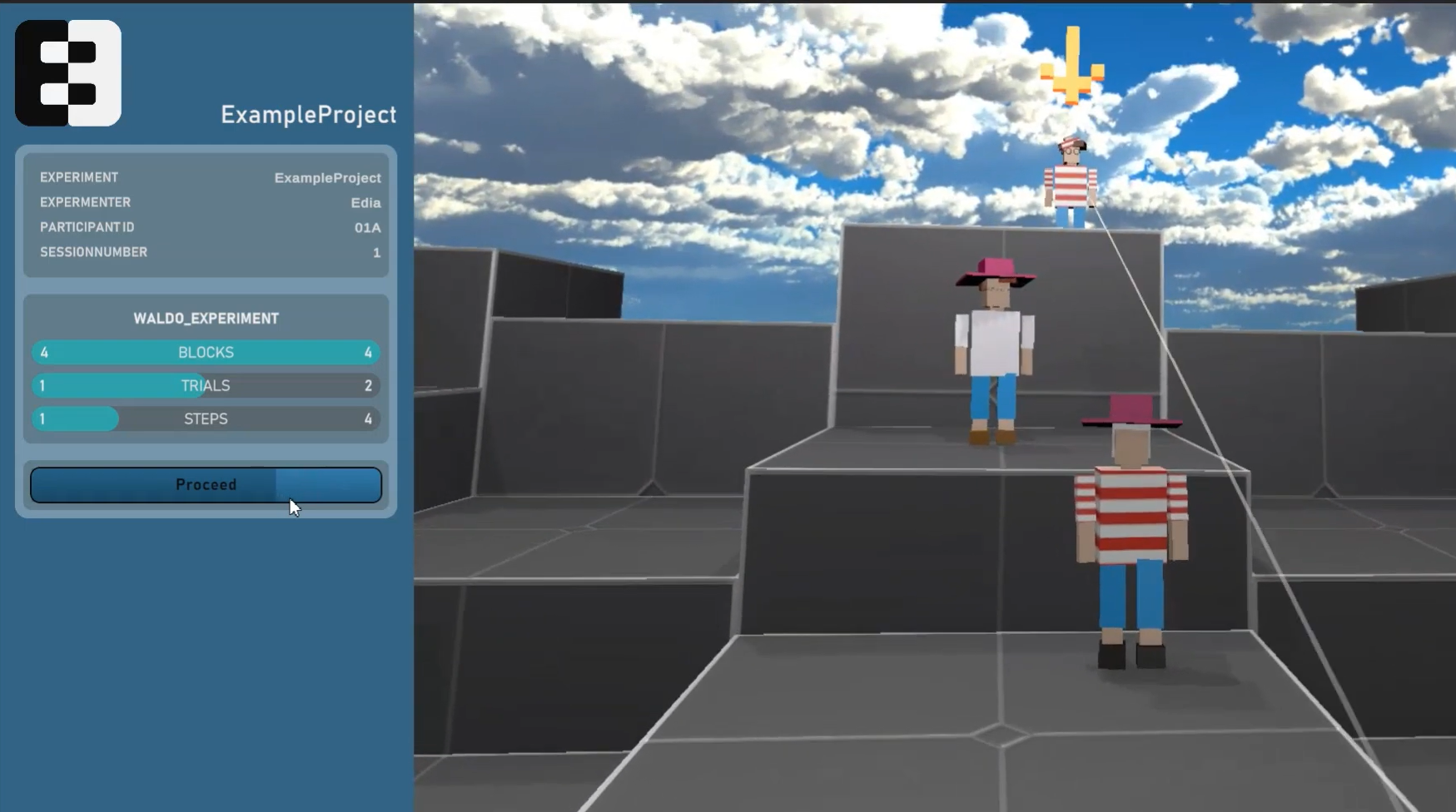
Key features
-
Structure your experiment
Define the information for your experiment at the granularity level which you need: from sessions to blocks to trials to single steps within trials. EDIA builds upon and extends the functionalities of the UXF — Unity Experiment Framework (Brookes et al., 2020) package.
-
Manage it with config files
Use human readable config files to provide and change central information for your experiment without needing to recompile or touch your Unity code.
-
Unified eye tracking integration
EDIA provides an integration of eye tracking for multiple different headsets (HTC Vive, Varjo, Meta Quest Pro, Pico), managing the parsing of the eye tracker output for you in the original sampling rate, and providing it via a standardized interface.
-
Remotely control mobile XR experiments
Control experiments which run on a mobile XR headset (e.g., Meta Quest) externally and stream what the participant is seeing.
-
Automatically log relevant data
Use pre-configured tools to log different kinds of data: behavior and movements of the participant, experimental variables, eye tracking data, ...
-
Ask questions inside VR
Present questionnaires to your participants without taking off the headset. Define your surveys in JSON config files or Unity ScriptableObjects, and the answers are written to your experiment's log files automatically.
-
Synchronize with external data
Use the LabStreamingLayer protocol to synchronize your experiment with other data streams (e.g., EEG, fNIRS, ...).
Getting started
Read our getting started guide.
To install the EDIA modules into your Unity project, we recommend using our EDIA Installer ( download, README,
source).
Modules

- The 🖤 heart of the EDIA toolbox.
- Structure your experiment:
Sessions<>Blocks<>Trials<>Trial Steps - Use logically nested Config files (JSON) to manage the compiled experiment.
- Send messages to the XR user.
- Experimenter interface.
- Download from →
EDIA Core

- Use the LabStreamingLayer protocol to synchronize your data.
- The
EDIA LSLmodule is a convenience wrapper and extension of the LSL4Unity package. - It provides prefabs and scripts which allow you to
- Send precisely timed triggers with a single command.
- Easily stream data (eye tracking data, movement data) in world or local coordinates.
- Download from →
EDIA LSL

- Remote Control And Streaming.
- Interface with your experiment which runs on a mobile headset.
- Load Config files from another device.
- Send commands to proceed in the experiment.
- Stream the headset view to the experimenter's device (*limited).
- Download from →
EDIA RCAS

 eye tracking package of the
Separate submodules (packages) allow to parse the eye tracking data from the respective device into the unified EDIA eye tracking structure.
Supported headsets:

- Dynamic generation of surveys from JSON configuration files or ScriptableObjects in Unity
- Hooks in to the logfile pipeline of EDIA without any additional effort
- Download from →
EDIA Survey

Get involved
If you want to use EDIA or start contributing, please reach out to us.